

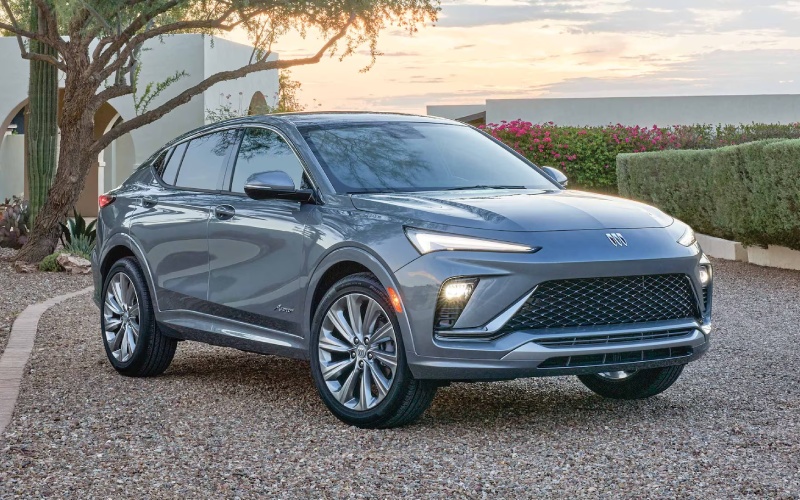
Baker Buick Coopersville - 2026 Buick Envista’s 11-inch Ultrawide Infotainment Makes Grand Haven, MI Drives Effortless
The 2026 Buick Envista builds its entire cabin experience around the Ultrawide 11-inch diagonal infotainment display—and that choice pays off the second you start driving around Grand Haven, MI. You get a crisp, responsive interface with room for the essentials, cleanly organized so navigation, audio, and vehicle settings are always within easy reach. Paired with a reconfigurable 8-inch Driver Information Center, the Envista gives you two clear zones: a command center for apps and a driver-focused display for key trip data.
In practical, everyday use, the Ultrawide 11-inch screen matters for three reasons: fewer taps, better visibility, and more flexibility. Fewer taps means less time hunting through menus, which helps keep your attention on the road when you’re heading down US-31. Better visibility means maps, media, and phone controls are easy to read at a glance—especially helpful when you’re making your way through busy corridors near the waterfront. And flexibility means you can tailor the layout to your habits, so the right tiles and shortcuts are always one touch away.
Why the layout works so well
Buick’s menu structure is straightforward: a clear home screen with intuitive tiles, fast-swipe pages, and quick-access hotkeys for core functions. That logic is what prevents the screen from feeling crowded. Pair your phone wirelessly and your podcast, playlist, or audiobook tiles move into prime position without forcing you to dig around. If you’re switching between maps and music as you head from downtown Grand Haven to a beach parking area, the transitions feel smooth and natural.
The complementary 8-inch Driver Information Center gives you just the right amount of detail at eye level. You can keep a clean digital speed readout, turn-by-turn prompts, or driver-assistance status front and center—whichever helps the most on a given drive. Together, the two screens eliminate the “information bottleneck” found in smaller setups, reducing distraction while keeping you in full control.
Wireless integration that actually feels wireless
With wireless Apple CarPlay® and wireless Android Auto™ compatibility standard, the Envista cuts cords and clutter cleanly. The system reconnects quickly each time you start the vehicle, and Bluetooth handoffs feel seamless if you’re moving between calls and music. Add the available wireless smartphone charging pad and the experience becomes truly cable-free—helpful when you’re darting between errands and don’t want to manage a charger. It’s the kind of thoughtful tech that keeps your cabin tidy and your routine simple.
Voice control is another bright spot. You can pull up playlists, call contacts, and set destinations with natural commands, which reduces time spent touching the screen on the move. If you’re new to voice assistants, you’ll appreciate how the prompt flow and confirmations are designed to avoid confusion or duplicate entries.
Comfort and quiet that complement the tech
Tech is only as good as the environment around it, and that’s where the Envista’s QuietTuning® with Active Noise Cancellation helps. By reducing unwanted road and wind noise, the system makes podcasts sound clearer and navigation prompts easier to catch at normal volume. It’s a useful advantage when traffic picks up along Robbins Road or when you’re cruising the causeway with the windows up.
Ergonomics matter, too. The flat-bottom steering wheel makes for an easy in-and-out and feels sportier in your hands. Physical controls for climate and volume remain within quick reach, so adjusting the temperature or turning down a song never becomes a multi-tap process. It’s a balanced approach—use the big screen for what it’s best at, keep critical adjustments on dials and buttons.
Tips to get more from the 11-inch screen
Want to tailor the system to your routine? A few simple tweaks can make a big difference:
- Home screen tiles: Arrange maps, media, and phone in the first row to minimize swipes
- Favorites bar: Save frequent destinations and stations as quick taps
- Driver display: Set turn-by-turn prompts or a clean speed readout for daily commutes
- Voice shortcuts: Learn a few go-to phrases for navigation and calls to reduce screen time
If multiple drivers share the Envista, consider saving distinct preferences so each person’s favorite apps and display choices appear automatically. That way your commute setup doesn’t clash with a co-driver’s weekend settings.
Safety visibility without the overload
The way driver-assistance information appears is refreshingly calm. Alerts like Lane Keep Assist with Lane Departure Warning show up clearly, then get out of your way. If you add Adaptive Cruise Control via available packages, status graphics are easy to understand at a glance. The screen’s real estate allows for concise visuals rather than pop-ups that take over the interface—exactly what you want in a daily driver around Grand Haven’s busier intersections.
The same attention to detail extends to backing up in tight marina lots. With available Rear Cross Traffic Alert, the advisory blends into a simple visual and audible cue so you can act immediately without deciphering a cluttered panel.
Living with the system long term
What stands out after a few weeks is how little you think about the tech at all. The screen is big enough to make everything legible, the structure is logical, and the controls feel consistent. The result is less time adjusting settings and more time enjoying the drive—especially when paired with the Envista’s comfortable seating and premium fit-and-finish.
If you’re comparing against small crossovers with smaller standard screens or wired phone mirroring, the Envista’s approach is a genuine advantage for daily usability. The combination of size, responsiveness, and standard wireless integration is tough to beat at this level.
Frequently Asked Questions:
Is the 11-inch screen standard on every 2026 Envista?
Yes. Every trim includes the Ultrawide 11-inch diagonal HD color touchscreen, so you don’t have to move up the lineup to get it.
Do I need a cable to use Apple CarPlay or Android Auto?
No. Wireless Apple CarPlay® and wireless Android Auto™ compatibility are standard, and an available wireless charging pad can keep your phone powered.
Can I customize the layout for different drivers?
Absolutely. You can personalize home-screen tiles, audio presets, and Driver Information Center views, so each driver’s preferred setup loads quickly.
Does the system support voice commands?
Yes. You can control navigation, calls, and media with natural voice prompts, which helps keep your focus on the road.
For Grand Haven drivers who want an easy, modern interface that enhances every trip—short hops to local shops, longer drives along the lakeshore, or daily commutes—the Envista’s Ultrawide 11-inch infotainment display checks every box. It’s intuitive from day one and remains refreshingly efficient over time, thanks to clear visuals, wireless integration, and helpful voice support.
If you’d like a closer look and a guided walkthrough of the system’s best features, Baker Chevrolet Buick Coopersville is ready to help—serving Fruitport, Allendale, and Grand Haven. We can set up a personalized demo, pair your phone, and share practical tips that make the most of your daily drive.